The platform
One platform,the whole day.
For service trades, trucking and offices — every conversation, the schedule, your people, the jobs, the trucks and the money, with AI doing the busywork.
The platform · film coming
What it runs for you
Every part of the day,one system.
Each part shares the same clients, jobs, people and money — so work moves from one to the next by itself, and nobody types the same thing twice.
- 01Daily briefYour day, laid out at 7 AMService · Nova, the AI assistant
- 02CommunicationEmail, chat, meetings, calendarIncluded
- 03TeamPeople, time off, goalsIncluded
- 04Field operationsTechs, work orders, vansService · Built for service trades
- 05FleetLoads, drivers, trucksService · Built for trucking
- 06ProjectsAny kind of work, plannedIncluded
- 07Clients & portalLeads, deals, client portalIncluded
- 08Jobs, quotes & invoicesFrom quote to paidIncluded
- 09HR, payroll & bookkeepingHiring, payroll, the booksServices · For any employer
- 10Phone & textingCalls, texts, an AI that answersService · Comes with a phone line
Services run on Professional and Enterprise and switch on from your settings whenever you want them. Some features depend on your plan — see pricing.
Daily brief
Service · Nova, the AI assistantYour day, briefedbefore it starts.
Every morning Nova lays out what changed since you left, what needs you, what is yours today and what is coming — and you act on it right there, in a tap. On a day with nothing worth saying, it stays out of your way.
More on NovaDaily brief · video coming
What is in Daily brief
What Nova did for you since you last looked, and the replies she drafted.
Time off, timesheets and promises waiting on you, with the buttons to settle them.
Your jobs, tasks and meetings for the day, in one list.
The next seven days, and what goes wrong there unless you act.
Which clients need attention, and why.
What closed in the last day, so you do not chase it twice.
Runs on its own
- On your phone at 7 AM, in your inbox and in the app
- Approve time off or decide a quote with one tap
- Managers get a short read on the whole company
- Read aloud, if you would rather listen
Communication
IncludedEvery conversation,next to the work.
Your team writes, talks, meets and plans in the same place the jobs and clients live — so a message becomes a meeting, a booking or a follow-up without copying anything anywhere.
More on communicationCommunication · video coming
What is in Communication
A full mailbox with labels, snooze, undo send, notes on a thread and mailboxes shared with you. Turn an email into a calendar event in one step.
Follow-up emails in steps, stopped the moment someone replies.
Channels and threads for the team, with mentions, polls, voice notes with transcripts and translation.
Video rooms with a waiting room, live captions, screen share, recording with consent and minutes written for you.
Runs on its own
- Drafts replies to your email for you to check and send
- Creates the follow-up after a meeting
- Grades meetings and shows the time they saved
Calendar
Not just a calendar —scheduling intelligence.
Events, meetings, tasks, time off and jobs share one calendar, and it thinks ahead: it suggests times that work, warns about a clash before you book it, and shows what moving one thing does to the rest of the day.
- Suggests times and warns about clashes
- Previews what a reschedule moves
- Your day, your team’s or the whole company’s — only what you may see
- Clients book themselves into your open times
- Brings in your Google and Microsoft calendars
Scheduling intelligence · video coming
Fills in on its own when you open it
- Daily GlanceYour day, summed up for you.
- Calendar HealthFocus time and meeting load across the week.
- Overload RadarWho is booked past what they can do.
- Team CapacityWho has free hours, day by day.
- Obligations at RiskPromises and deadlines that could slip.
- Weather WatchOutdoor work the forecast could hit.
Team
IncludedYour people,organised.
Bring people on, set who reports to whom and what each person may do, keep track of time off and goals — and keep what the team knows in one place Nova can answer from.
More on team management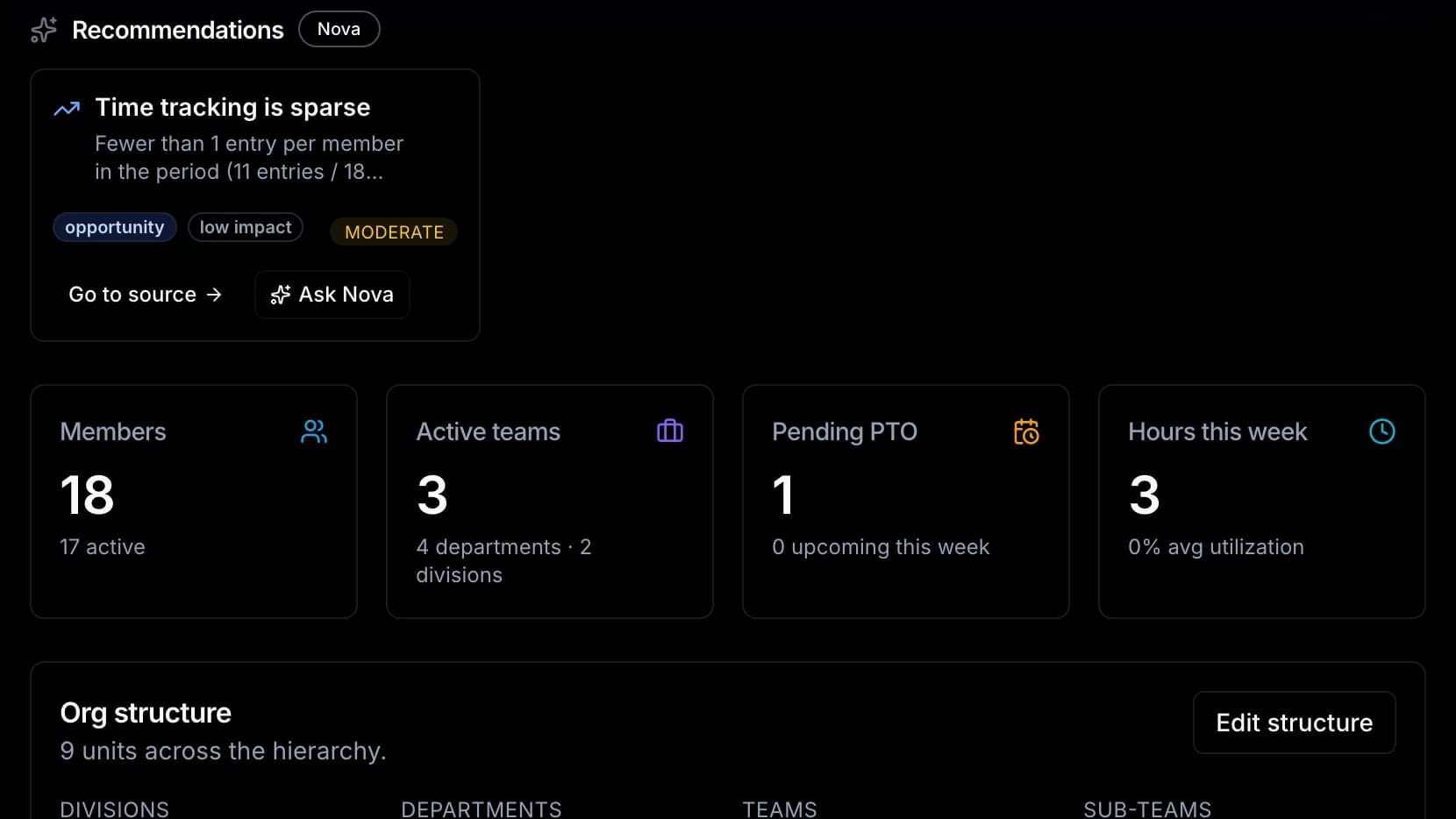
What is in Team
Everyone in the company, their role, their team and how to reach them.
A new person’s first weeks, step by step, with check-ins on a schedule.
Who reports to whom, as a live chart, with the structure edited right under it.
What each person can see and do, set once and kept the same everywhere.
Hours, requests and approvals, laid out for whoever is looking.
Goals and reviews that stay on track.
Praise and notes, given and kept where the team can see them.
How your company does things, written once and answered by Nova.
Headcount, time off and workload across the team.
Runs on its own
- Finds cover when someone books time off
- Nudges a one-to-one that has gone quiet
- Warns before someone is booked past their hours
- Hands a departing manager’s people to someone new
- Remembers birthdays and suggests a thank-you
Field operations
Service · Built for service tradesEvery job, from the callto the signature.
Send the right tech with the job history and the parts, and watch the work happen live. The customer signs on site, the tech takes payment, and the invoice drafts itself.
More on field operationsField operations · video coming
What is in Field operations
Your techs on a live map, emergencies first, and today’s numbers.
Visits, materials, change orders and the customer’s signature from site.
Built in the office or on the tech’s phone, in front of the customer.
Stock on every van, reorder points, and every part that moved.
Maintenance contracts, the equipment they cover, and renewals.
The day’s jobs, sign-off, payment on the spot and van stock, on the tech’s phone.
Runs on its own
- Drafts the invoice when the job is done
- Logs arrival and departure at the job site
- Reorders van stock before it runs out
- Flags a tech running late, with one tap to reassign
- Warns before a tech runs into overtime
- Suggests moving tomorrow’s visits when the weather turns
Fleet
Service · Built for truckingLoads, drivers and trucks,on one board.
Book the load, assign the driver, plan the best route and see every truck live. Drivers carry the job and the paperwork on their phone, and settlements are ready when the load is.
More on fleet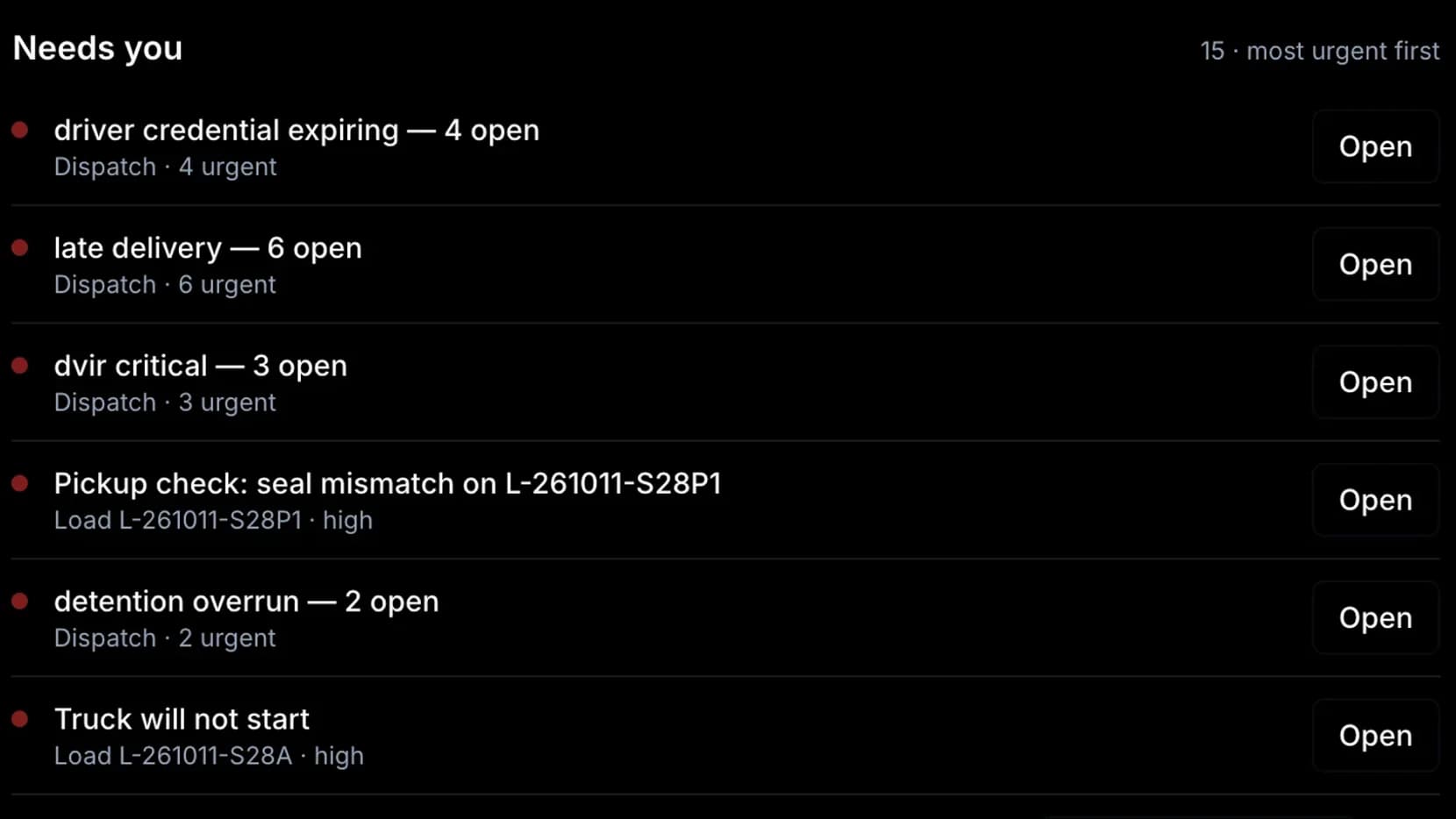
What is in Fleet
Every truck and driver, where they are now.
Book a load, assign a driver and run the day from one board.
The best order of stops, planned for you — nothing changes until you apply it.
Your roster, who is free, and how each driver is doing.
Bills of lading and proof of delivery, collected from the road.
Inspections and safety events, recorded from the driver’s phone.
Settlements drafted every week and checked before drivers are paid.
Loads, the walkaround inspection, proof of delivery, receipts and pay, on the driver’s phone.
Runs on its own
- Plans the best route for every run
- Predicts maintenance before a breakdown
- Flags unusual fuel use
Projects
IncludedProjects forany kind of work.
A remodel, a fit-out or a consulting engagement — plan it, staff it, track the money and let the client follow along. Each person sees only the parts of a project their role allows.
More on projectsProjects · video coming
What is in Projects
Every task in columns, moved as the work moves.
The plan laid out over time, with late milestones marked.
Who is on it, their part, and what they can see.
Budget, cost and what has been billed, side by side.
Budget and status checked together, so trouble shows early.
Everything written and attached, in the project it belongs to.
What the client sees of the project in their portal.
Runs on its own
- Writes a report on how each project is going
- Shows the client live progress in their portal
Clients & portal
IncludedClients whosee the work.
Every lead, deal and client in one record — and a portal where your clients pay, sign, check progress and book, without calling the office.
More on client managementClients & portal · video coming
What is in Clients & portal
One record for each: the timeline, the work, the money, the files.
Every new lead in one place, scored for you.
A pipeline you shape, with a forecast of the quarter.
What clients say after the work, kept on their record.
Your clients see invoices, sign, see job progress and photos, approve changes, book and join meetings.
Your clients and pipeline, measured.
Runs on its own
- Scores leads and deals
- Shows which clients need attention
- Drafts the next step for each client
- Chases missing documents
Jobs, quotes & invoices
IncludedFrom quoteto paid.
Build the quote with a live preview, turn it into the job, send the invoice and see who has paid — then see what cash is coming in the weeks ahead.
More on invoicingJobs, quotes & invoices · video coming
What is in Jobs, quotes & invoices
Every job, its status and who is on it, with reports on how they went.
Built beside a live preview of what the client will see.
For a job, a whole project or on their own.
Clients record what they paid; collections in one list.
What is coming in and going out, week by week.
Runs on its own
- Drafts payment reminders for you to send
- Shows what changed in your money the moment you open it
- With Field operations, the invoice drafts itself when the job is done
HR, payroll & bookkeeping
Services · For any employerPay your people,keep your books.
Hire, onboard and pay people from the same place you schedule them, with every pay run checked twice before anyone is paid. And the books come from the work itself, ready to review, sign and file.
More on HR & payroll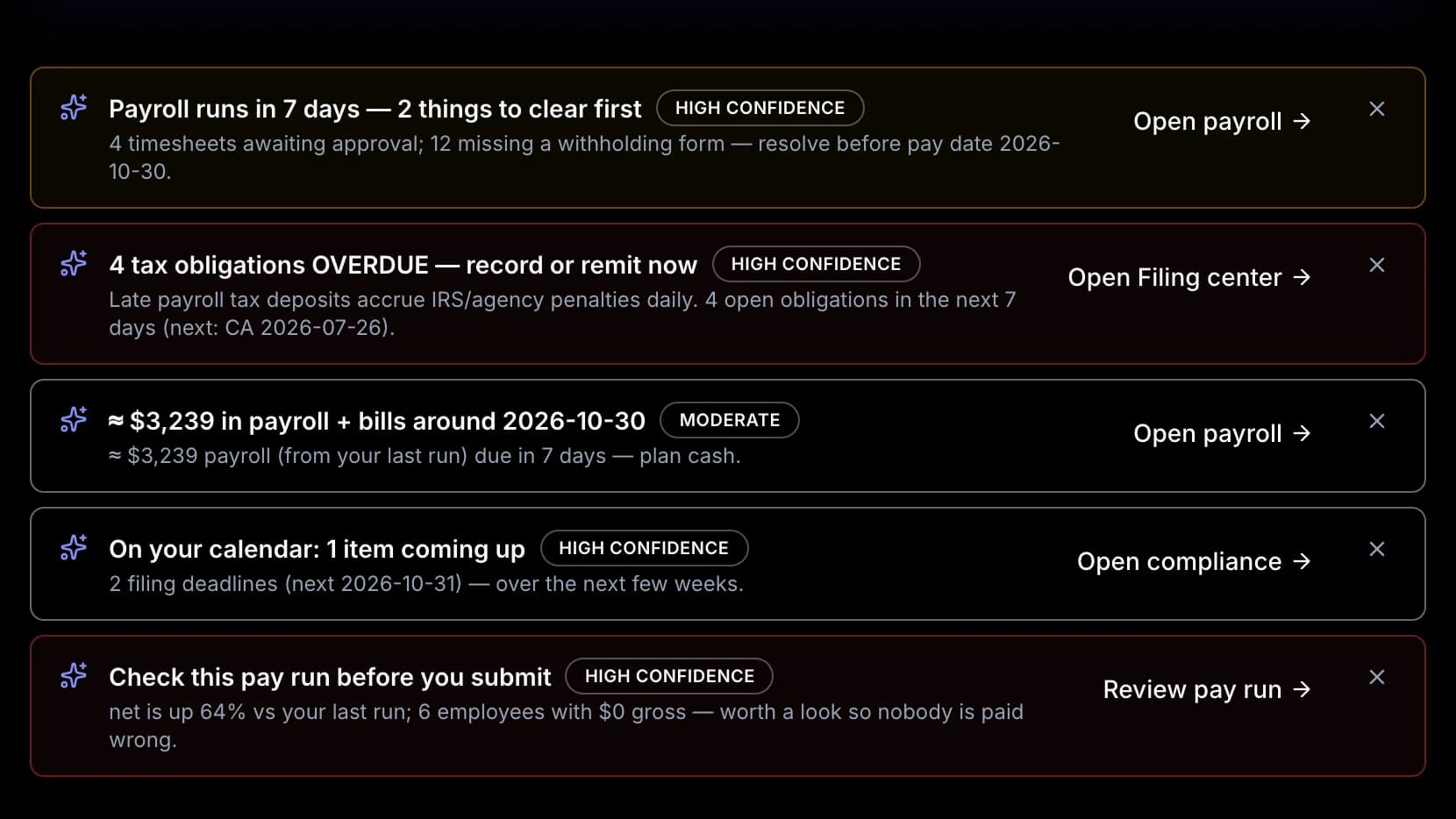
What is in HR, payroll & bookkeeping
Bring new people in and get them started.
Every person’s details and documents, kept in one place.
Plans and who is enrolled, kept with each person.
Hours worked and time off, ready for payroll.
Pay runs, tax deadlines and year-end files, run by your company in the software. Pay runs calculate for Ontario, Canada today.
Every transaction sorted and posted to your QuickBooks books, to your local tax rules.
Statements, a trial balance and a draft tax return, ready for sign-off.
Runs on its own
- Insights on your people as soon as you open it
- The books are built from the jobs, invoices and pay you already ran
Phone & texting
Service · Comes with a phone lineEvery callanswered.
A full phone system in the same place as the client’s record — and Vera, who answers the callers your menu sends her: the caller’s own jobs, invoices and quotes, at any hour, after checking who is calling.
More on Vera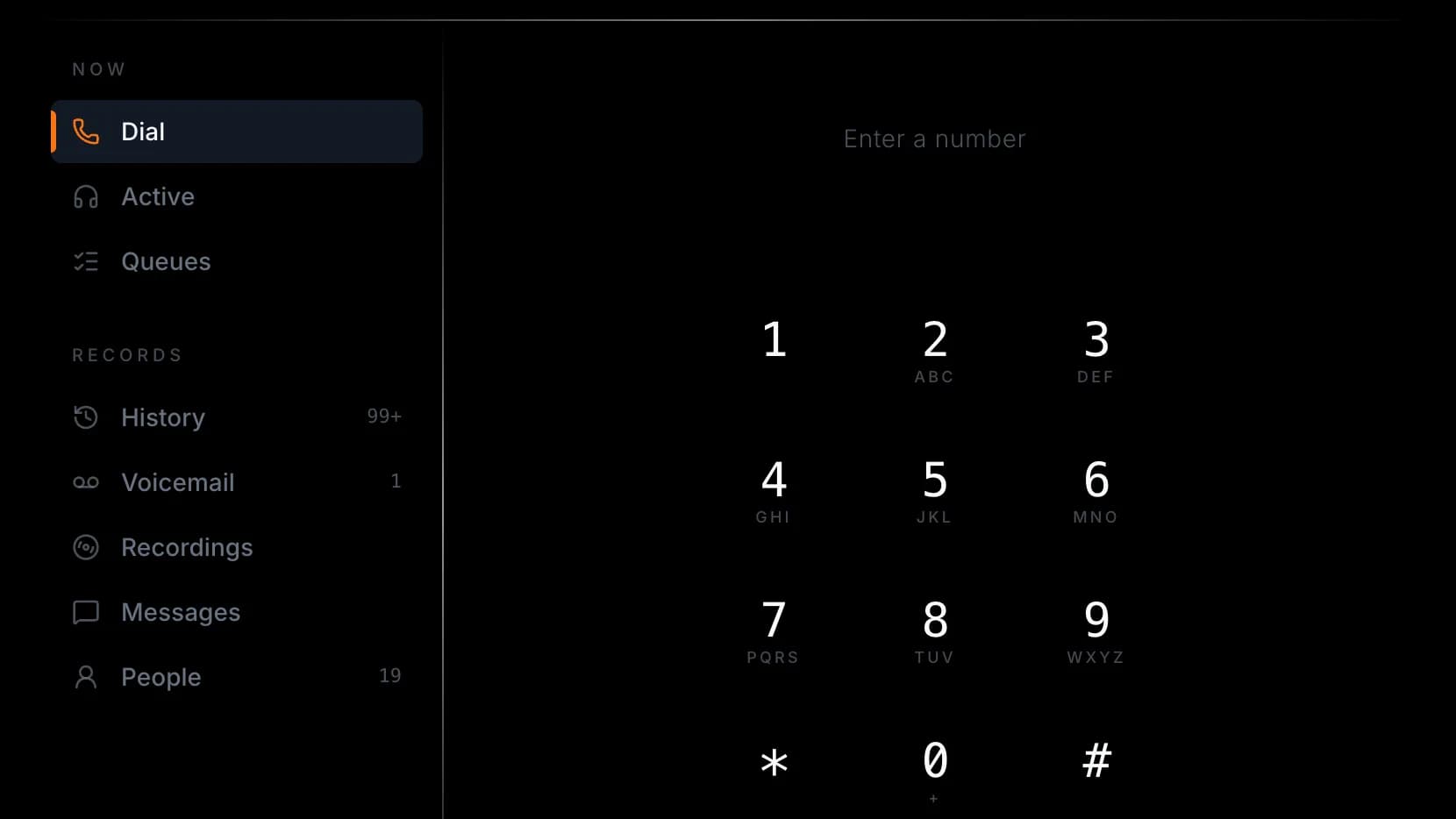
What is in Phone & texting
Call from the browser, with the client’s record beside the call.
Calls shared across the team, answered in turn.
Text clients from your company’s number.
Kept for as long as your rules say, and held when you need them.
A supervisor can listen in, coach the person on the call, or step in.
Waiting callers and who is free, on the big screen.
Press one for sales, two for service — routed the way you set it.
Calls scored against what good sounds like for you.
Runs on its own
- Vera answers on your phone line and in your client portal, at any hour
- Checks who is calling before sharing anything private
- Hands the call to your team when it should
A day on Operations Link
From the first coffeeto the books.
One working day at a service company. Every step is something the platform does today, and each one hands its work to the next.
- 7:00 AM
Daily brief
Your brief is on your phone: two time-off requests, a quote to decide and what tomorrow holds. You settle them before coffee.
- 8:10 AM
Communication
A client emails about a leaking unit. One step turns the email into a calendar event.
- 8:20 AM
The calendar suggests a slot that fits the tech’s day and warns that rain is coming in the afternoon.
- 9:30 AM
Field operations
The tech has the job, its history and the parts on their phone. Arrival is logged the moment they reach the site.
- 12:40 PM
Job done. The customer signs on the tech’s phone and the invoice drafts itself.
- 1:05 PM
Clients & portal
The client records their cheque in the portal; once you confirm it, the payment lands on the invoice.
- 5:30 PM
HR, payroll & bookkeeping
The day’s hours are in, ready for payroll — and the payment is sorted into the books for your accountant.
The daily brief comes with Nova and field operations with Field operations — services on Professional and Enterprise; payroll and bookkeeping are services from Essentials up. Everything else in this day is included.
Reports · Professional and up
Ask a question,get the report.
Ask in plain words and get a report built from your own numbers. Save it, and schedule it to arrive by email as a PDF, a CSV or a spreadsheet — daily, weekly or monthly — or start from the report templates for your industry.
Dashboards are in every plan. The report builder, analytics and scheduled reports are on Professional and up.
Works with
Google and Microsoft calendars
Your events brought into the shared calendar, and kept in step on a schedule.
QuickBooks Online
With the Bookkeeping service, your books are kept from the work in your own QuickBooks.
Okta and Microsoft Entra ID
People added and removed from your directory (SCIM). Ask us to connect it.
Web forms, Meta and Google ads, Zapier
New leads land in one inbox, scored, with a next step.
There is no public API, and no connection to Slack, Microsoft Teams, Zoom, Gmail or Stripe.
Under the hood
Fast, safe, always on.
Every company’s data is kept apart at the database, and every action is checked against what that person is allowed to do — on your busiest day as on your quietest.
How we keep your data safe- Response time for 95% of requests, under heavy load
- 90 ms
- Errors in sustained peak-load tests
- 0%
- People working at the same time
- 10,000+
- To add capacity when demand jumps
- Seconds
Asked about speed
How fast is Operations Link?
In load tests that simulate thousands of concurrent users, Operations Link holds 95th-percentile response times under 100 milliseconds (around 90ms), with a median several times faster — and a 0% error rate throughout. In plain terms: it stays fast when everyone on your team is using it at once.
Will it slow down as we grow?
No. The platform auto-scales: it continuously watches real traffic and adds capacity within seconds when demand rises, then releases it when demand falls. You get consistent speed as you grow — without manual tuning or paying for peak capacity you only need occasionally.
How many users can it handle?
Operations Link has been validated well into the tens of thousands of concurrent active users while comfortably holding its performance targets — with measured headroom beyond that. For the overwhelming majority of businesses, capacity is simply not a concern.
Is it reliable during our busy season?
Yes. Sustained peak-load testing completes with zero errors, services self-heal automatically, and deployments happen with no downtime. Reliability is engineered to be the default, not a feature you have to plan around.
What is Operations Link built on?
A modern, cloud-native stack — Kubernetes for elastic orchestration, PostgreSQL for durable data with every company kept apart, and an efficient Next.js and Fastify application layer. Mature, proven foundations chosen for performance, reliability, and security.
Get started
Run it allfrom one place.
Fifteen days free on the plan you pick, no credit card. Or book a call and we will set it up around how your company works.
Start free for 15 daysBook a 30-minute call
Free · times in EasternPick a day to see the open times.